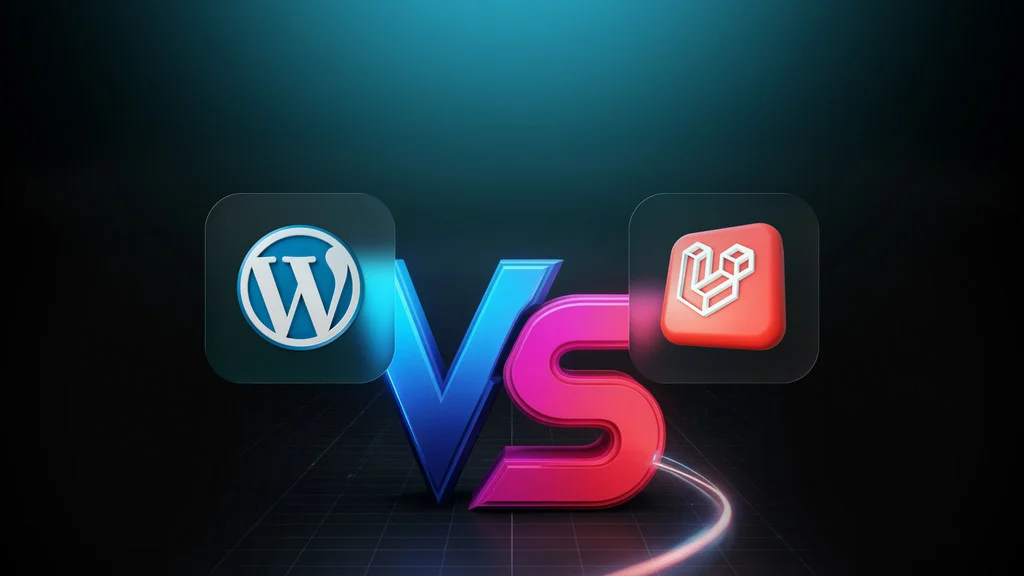
One of the most common questions we hear from businesses and developers is: "Should I use WordPress or Laravel?" The answer isn't always straightforward, as both platforms have their strengths and are suited for different types of projects.
In this comprehensive comparison, we'll break down the key differences between WordPress and Laravel, help you understand when each platform shines, and guide you toward making the right decision for your specific project needs.
Understanding WordPress
WordPress is a content management system (CMS) that powers over 40% of all websites on the internet. It started as a blogging platform but has evolved into a versatile CMS used for everything from simple blogs to complex e-commerce sites.
Key Characteristics:
- Pre-built CMS with extensive plugin ecosystem
- User-friendly admin interface for non-technical users
- Thousands of themes and plugins available
- Quick setup and deployment
- Large community and extensive documentation
Understanding Laravel
Laravel is a PHP web application framework designed for building custom web applications. Unlike WordPress, Laravel doesn't come with pre-built content management features—instead, it provides the tools and structure to build exactly what you need.
Key Characteristics:
- Full-stack PHP framework for custom development
- Complete control over application architecture
- Modern development practices and tools
- Excellent for complex business logic and custom features
- Strong developer community and ecosystem
Head-to-Head Comparison
1. Ease of Use and Learning Curve
WordPress: WordPress is designed for non-technical users. You can set up a website in minutes, choose a theme, install plugins, and start publishing content without writing a single line of code. The learning curve is gentle, making it accessible to beginners.
Laravel: Laravel requires programming knowledge. You need to understand PHP, MVC architecture, and web development concepts. The learning curve is steeper, but it provides much more flexibility and control.
Winner: WordPress for non-technical users, Laravel for developers who need flexibility.
2. Customization and Flexibility
WordPress: While WordPress is highly customizable through themes and plugins, you're still working within its structure. Custom functionality often requires plugins or custom development, which can become complex when trying to override core WordPress behavior.
Laravel: Laravel gives you complete control. You can build exactly what you need from scratch, implement any business logic, and create custom solutions without working around existing constraints. The framework provides structure, but you decide how to use it.
Winner: Laravel for maximum flexibility, WordPress for quick customization with existing tools.
3. Performance and Scalability
WordPress: WordPress can be fast, but it often requires optimization, caching plugins, and careful plugin selection. Performance can degrade with too many plugins or poorly optimized themes. It can scale, but may require more server resources.
Laravel: Laravel applications are typically faster out of the box because you only build what you need. With proper architecture, caching, and optimization, Laravel applications can handle high traffic and scale efficiently. You have full control over performance optimization.
Winner: Laravel for performance-critical applications, WordPress can be optimized but requires more effort.
4. Security Considerations
WordPress: WordPress is a popular target for hackers due to its widespread use. Security depends heavily on keeping WordPress, themes, and plugins updated. Vulnerabilities in third-party plugins can compromise your site.
Laravel: Laravel has built-in security features like CSRF protection, SQL injection prevention, and secure password hashing. You have more control over security, but you're also responsible for implementing it correctly. The attack surface is smaller since you only include what you need.
Winner: Laravel for security-critical applications, WordPress requires diligent maintenance.
5. Development Speed
WordPress: For standard websites, WordPress is incredibly fast to set up. You can have a functional site in hours or days using themes and plugins. However, custom development can be slower due to working within WordPress constraints.
Laravel: Custom Laravel development takes longer initially, but you can build exactly what you need without working around existing systems. For complex applications, Laravel can actually be faster because you're not fighting against a CMS structure.
Winner: WordPress for quick standard sites, Laravel for complex custom applications.
6. Cost Considerations
WordPress: WordPress itself is free, but costs can add up with premium themes, plugins, hosting, and maintenance. For simple sites, it can be very cost-effective. For complex sites requiring custom development, costs can approach Laravel development.
Laravel: Laravel is free and open-source, but requires custom development, which typically costs more upfront. However, for complex applications, the long-term cost can be lower due to better performance, fewer plugins, and easier maintenance.
Winner: WordPress for simple sites, Laravel for complex applications (better long-term value).
7. Community and Ecosystem
WordPress: Massive community with thousands of themes, plugins, and extensive documentation. Easy to find solutions and hire developers.
Laravel: Strong developer community with excellent documentation, packages, and resources. Growing ecosystem with high-quality packages.
Winner: WordPress for non-technical resources, Laravel for developer resources.
When to Choose WordPress
WordPress is the right choice when:
- Blog or Simple Website: You need a blog, portfolio, or simple business website
- Non-Technical Content Management: Non-technical users need to manage content regularly
- Quick Deployment: You need a site up and running quickly
- Plugin Ecosystem: Existing plugins meet most of your needs
- Limited Budget: You need a cost-effective solution for a standard website
- SEO-Friendly Blog: You're primarily focused on content marketing and SEO
When to Choose Laravel
Laravel is the right choice when:
- Custom Application Requirements: You need features that don't fit standard CMS patterns
- Complex Business Logic: Your application requires sophisticated workflows and calculations
- Performance-Critical Applications: Speed and scalability are paramount
- API-First or Headless Architecture: You need to build APIs for mobile apps or multiple frontends
- Integration Requirements: You need deep integration with existing systems
- Scalability Needs: You expect high traffic and need efficient scaling
- Custom User Experiences: You need unique interfaces that don't fit standard CMS patterns
Hybrid Approaches
You don't always have to choose one or the other. Some projects benefit from using both:
- WordPress for Content, Laravel for Features: Use WordPress for the blog/content section and Laravel for custom application features
- Headless WordPress: Use WordPress as a content management backend with a Laravel API frontend
- Laravel with WordPress Integration: Build a Laravel application that integrates with WordPress for content management
Real-World Scenarios
Scenario 1: Small Business Website
Recommendation: WordPress
A small business needs a website with basic pages, a blog, and contact forms. WordPress is perfect—quick to set up, easy to manage, and cost-effective.
Scenario 2: E-commerce Platform
Recommendation: Depends on complexity
Simple online store? WordPress with WooCommerce works well. Complex e-commerce with custom workflows, inventory management, and integrations? Laravel provides the flexibility needed.
Scenario 3: SaaS Application
Recommendation: Laravel
SaaS applications require custom user management, subscription billing, complex business logic, and scalability—all areas where Laravel excels.
Scenario 4: Content-Heavy Blog
Recommendation: WordPress
For blogs and content-focused sites, WordPress's content management features and SEO plugins make it the ideal choice.
Scenario 5: Custom Business Application
Recommendation: Laravel
When you need a custom application with unique workflows, integrations, and business logic, Laravel gives you the control and flexibility to build exactly what you need.
Migration Considerations
If you're considering migrating from WordPress to Laravel (or vice versa):
- Data Migration: Plan carefully for data export/import
- URL Structure: Maintain SEO with proper redirects
- Functionality Mapping: Identify what needs to be rebuilt
- Timeline and Budget: Migration takes time and resources
- Testing: Thoroughly test before going live
Making the Right Choice
To decide between WordPress and Laravel, ask yourself:
- Do you need a standard website or a custom application?
- Will non-technical users manage content?
- How complex are your business requirements?
- What's your budget and timeline?
- Do you need custom features or will plugins suffice?
- How important are performance and scalability?
- Do you have technical resources for Laravel development?
Conclusion
The choice between WordPress and Laravel depends entirely on your project requirements, technical resources, and long-term goals. WordPress excels at content management and quick deployment for standard websites, while Laravel shines when you need custom functionality, performance, and complete control over your application.
Working with experienced developers who understand both platforms can help you make the right decision and build the solution that best fits your needs.
If you're still unsure which platform is right for your project, our team has extensive experience with both WordPress and Laravel. We can help you evaluate your requirements and build the solution that best fits your needs, whether that's a WordPress site, a custom Laravel application, or a hybrid approach.